Bookmarks stay in sync
Edit a bookmark in Zenith and it changes in Chrome. Edit it in Chrome and Zenith refreshes in real time.
Explore the bookmark manager →Chrome extension · Available now
A customizable Chrome new tab for bookmarks, tasks, and daily tools.
Bookmarks, tasks, shortcuts, weather, and optional news—kept close without turning every new tab into noise.
One page. Your working rhythm.
Edit a bookmark in Zenith and it changes in Chrome. Edit it in Chrome and Zenith refreshes in real time.
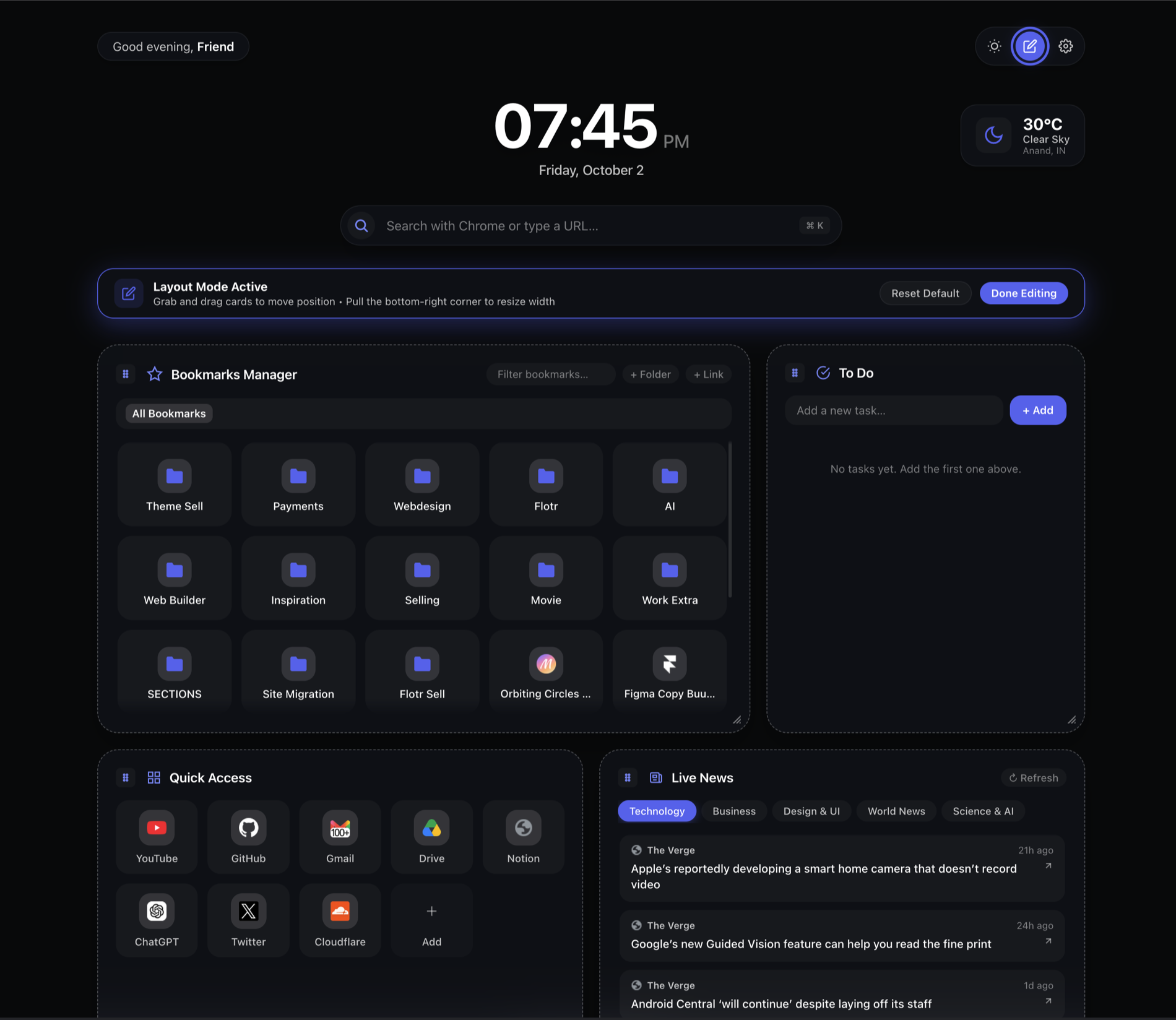
Explore the bookmark manager →Search, tasks, shortcuts, weather, and optional news stay available without competing for attention.
See tasks on your new tab →Keep the core new tab free for life. Preview every Pro customization for seven days without a card.
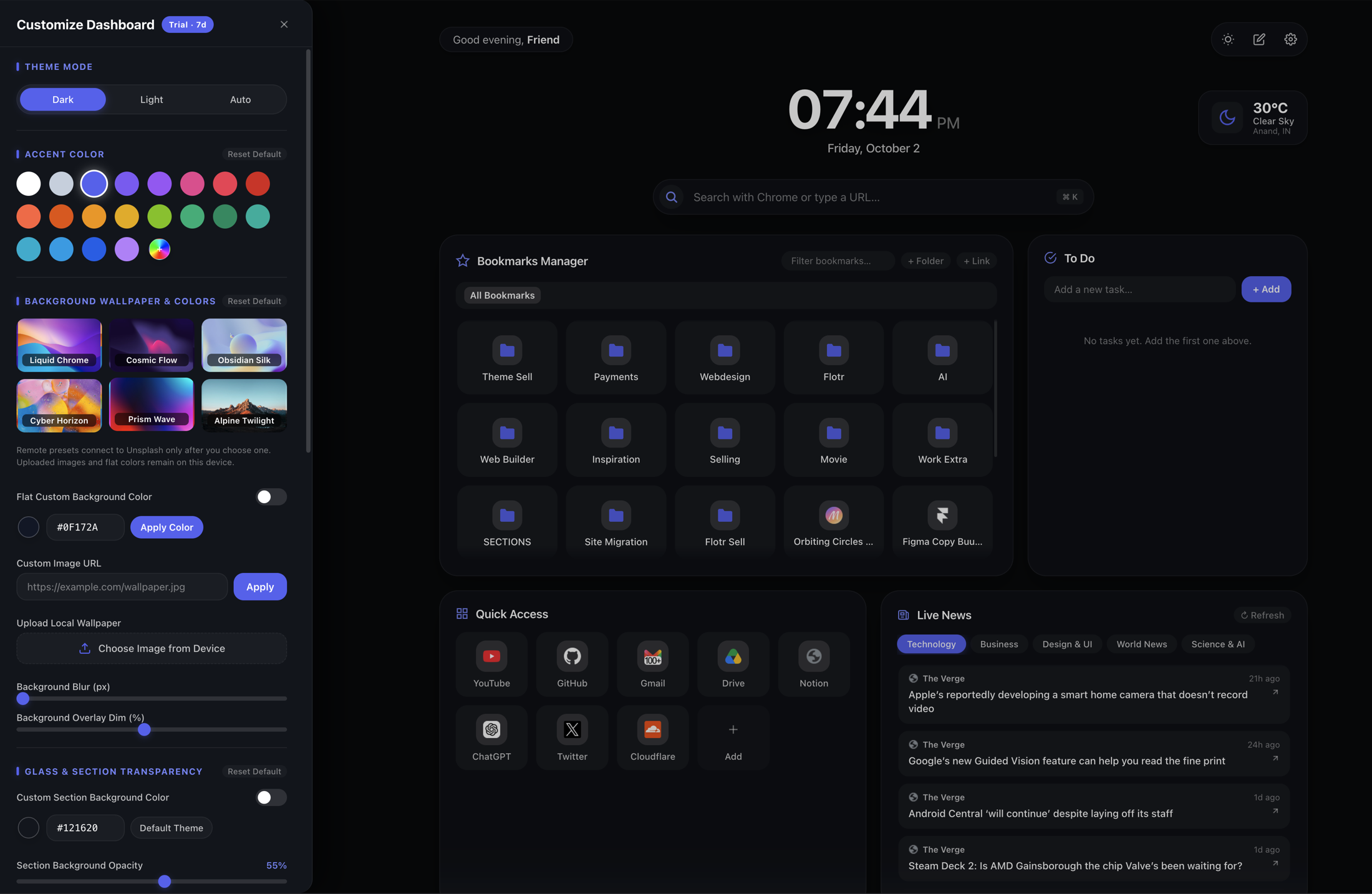
Explore dashboard customization →Fifteen seconds inside Zenith
See your everyday tools, then make the dashboard your own.
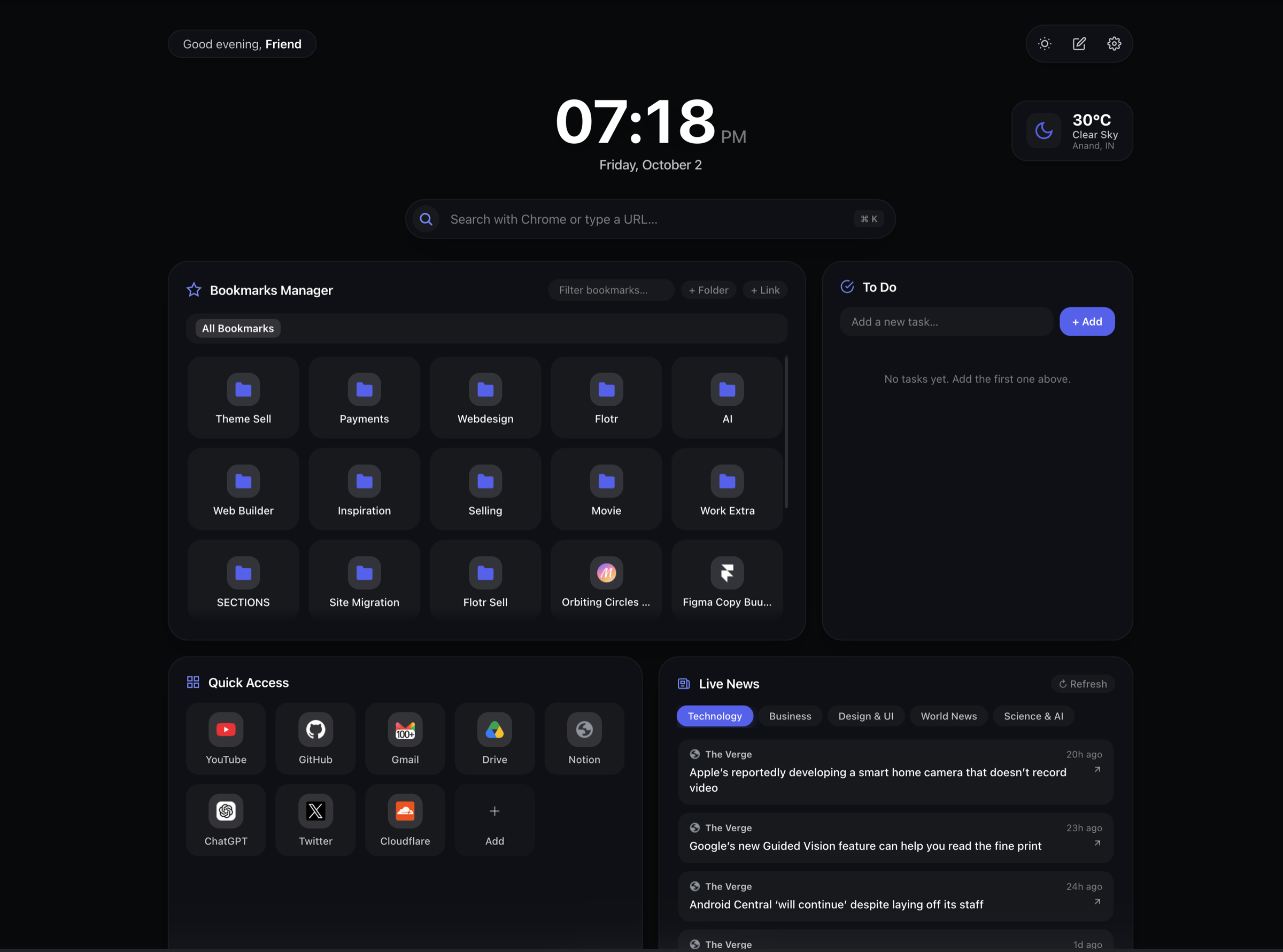
Type a query or open a URL.
Local by default
Zenith stores your layout, tasks, shortcuts, and preferences in Chrome storage. It does not sell your information or use it for advertising.
Read the privacy policyZenith Pro
Start with a seven-day Pro preview—no card required. When it ends, Zenith Free keeps working for life. Upgrade only if the complete layout toolkit earns its place.
Zenith Free
Your everyday workspace, ready for every new tab.
Zenith Free keeps working after your Pro preview ends.
Zenith Pro
7-day free previewEverything in Free, with the complete layout toolkit.
Preparing secure Paddle checkout…
Paddle-managed checkout. Paddle is the merchant of record and manages payment processing, applicable taxes, and your receipt.
7-day trial requires no card. See purchase terms and refund policy.
Get to know Zenith
Zenith is a desktop Chrome extension that replaces the new tab page with your existing Chrome bookmarks, a to-do list, search, shortcuts, weather, and optional news.
Yes. Zenith Free includes bookmark editing, tasks, search, shortcuts, weather, news, accent colors, and backgrounds. The core version continues at no charge after the seven-day Pro preview. Pro costs $12 USD once and adds layout and styling controls. See the plan comparison and lifetime licence terms.
Yes. Bookmark changes in Zenith update your actual Chrome bookmarks. Changes made in Chrome appear in Zenith in real time. This is two-way editing within Chrome, rather than a separate collection of saved links. See how bookmark editing works.
You can change accent colors and backgrounds in Free. Moving and resizing sections, hiding widgets, changing bookmark display layouts, and deeper section styling require Pro or the seven-day Pro preview. Explore customization options.
Zenith stores tasks, layouts, shortcuts, and preferences locally in your Chrome profile. It does not provide automatic cross-device workspace synchronization. Bookmark synchronization between devices depends on your own Chrome settings.
Open the official Chrome Web Store listing in desktop Chrome, choose Add to Chrome, review the permissions, and open a new tab. Follow the setup guide to organize bookmarks, add tasks, and personalize the page.
Zenith is designed for desktop Chrome. It does not replace the new tab page in Chrome on Android or iPhone. Use desktop Chrome to install and use the extension.